tmuxinator templates
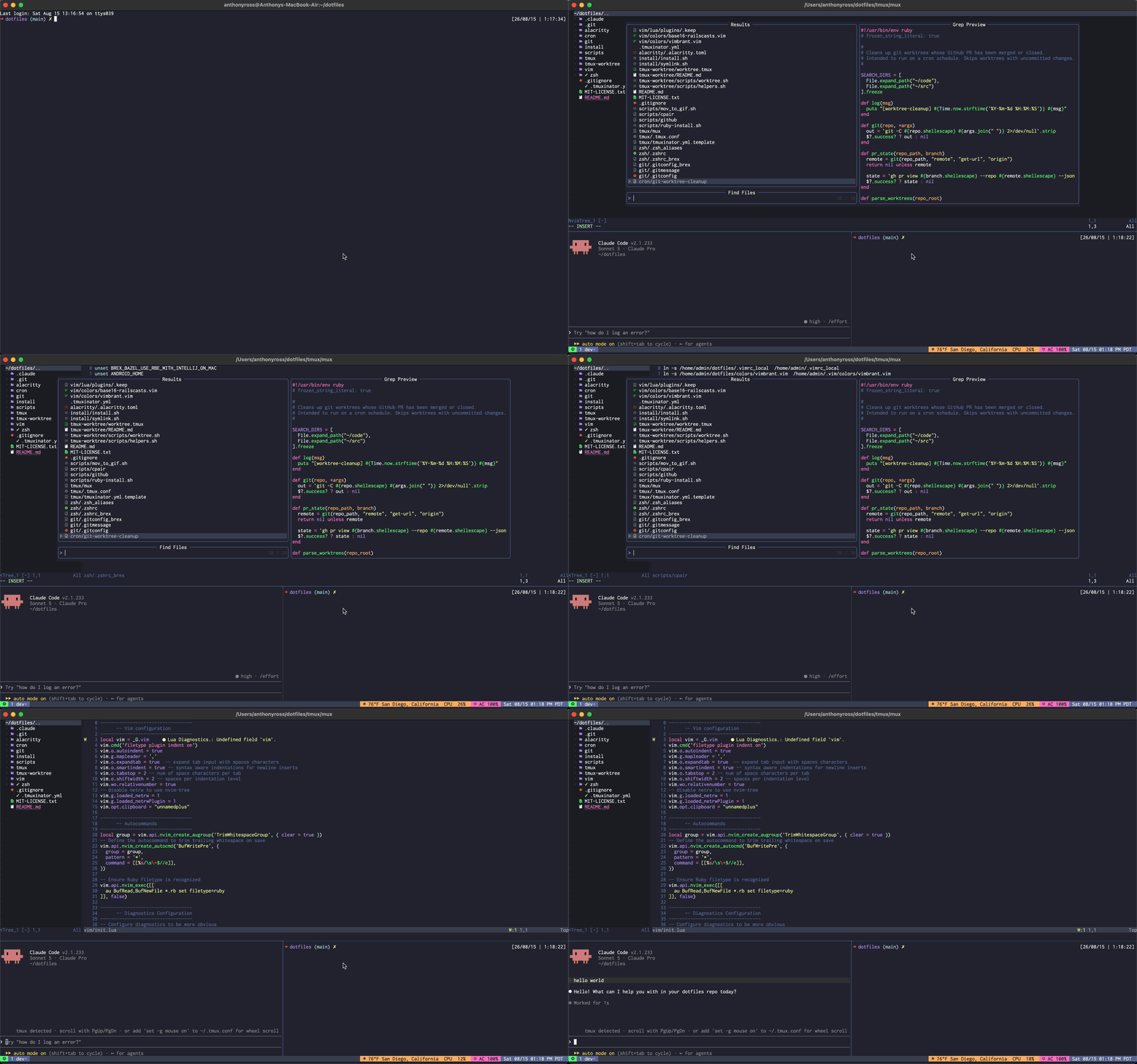
15 Aug 2026I’ve used tmuxinator for years to spin up a tmux session with the windows and panes I want already laid out - editor, server, scratch, whatever the project needs. My problem was that I only ever had one config, ~/.tmuxinator.yml, and I’d hand edit it every time I switched projects. New repo, same dance - open the yml, rename windows, change the root path, remember what I changed last time so I could change it back. That’s not automation, that’s just moving the manual work somewhere else. The benefit here is every project I have is configured this way so when I cd into something, I simply run mux and I have everything ready to go.
This is going to be a two part post. Today is the simple case - one repo, one tmux session, no monorepo complexities. Part 2 will cover how I handle this in a monorepo with multiple services, where each one needs its own layout.
The idea
Instead of one global config, each project gets its own .tmuxinator.yml committed at the repo root, generated from a template in my dotfiles. I wrote a small wrapper called mux to do the scaffolding and the launching so I don’t have to remember tmuxinator’s flags every time.
mux init --name myapp --windows edit,server,scratch
that reads the template, swaps in the name and windows, writes ./.tmuxinator.yml. Here’s the template:
# tmuxinator project file — generated by `mux init`, meant to be committed
# to this project's repo root as .tmuxinator.yml. Edit it by hand afterwards:
# add real per-window commands, more windows, panes, whatever this project needs.
#
# Launch with `mux` (or `tmuxinator local`) from inside the project.

name: {{NAME}}
root: .

windows:
{{WINDOWS}}
{{WINDOWS}} gets filled in by looping over the comma separated list from --windows and building one yaml line per name:
window_line() {
  local name="$1"
  if [[ "$name" == "edit" ]]; then
    echo "  - edit: nvim ."
  else
    echo "  - ${name}:"
  fi
}
edit is the one name that gets special treatment, it always becomes nvim .. Everything else just gets a blank window entry. So mux init --name myapp --windows edit,server,scratch writes this:
name: myapp
root: .

windows:
  - edit: nvim .
  - server:
  - scratch:
From there I go edit the generated file by hand to fill in real commands for server and scratch, and commit it to the project.
The wrapper
mux is a thin bash script over tmuxinator init/tmuxinator local, it just knows about my template:
cmd_init() {
  local name="" windows="$DEFAULT_WINDOWS" force=0

  while [[ $# -gt 0 ]]; do
    case "$1" in
      --name) name="$2"; shift 2 ;;
      --windows) windows="$2"; shift 2 ;;
      --force) force=1; shift ;;
      -h|--help) usage; exit 0 ;;
      *) echo "mux init: unknown argument: $1" >&2; exit 1 ;;
    esac
  done

  [[ -n "$name" ]] || name="$(basename "$PWD")"
  # ...renders the template into ./.tmuxinator.yml
}

cmd_run() {
  if [[ ! -f "$CONFIG_FILE" ]]; then
    echo "mux: no $CONFIG_FILE in $(pwd)" >&2
    echo "Run 'mux init' to scaffold one." >&2
    exit 1
  fi
  exec tmuxinator local
}
Once .tmuxinator.yml is committed, launching the session going forward is just:
mux
which is really tmuxinator local under the hood, reading the config that lives right there in the repo. No more “which config was this project using again.”
I aliased it in my .zsh_aliases:
alias mux="$dotPath/tmux/mux"
That’s it for the single-project case. Next up, part 2 - how this changes when one repo has to juggle layouts for several services at once, and how git worktrees, AI agents and tmux are a dream trio in todays modern development world.